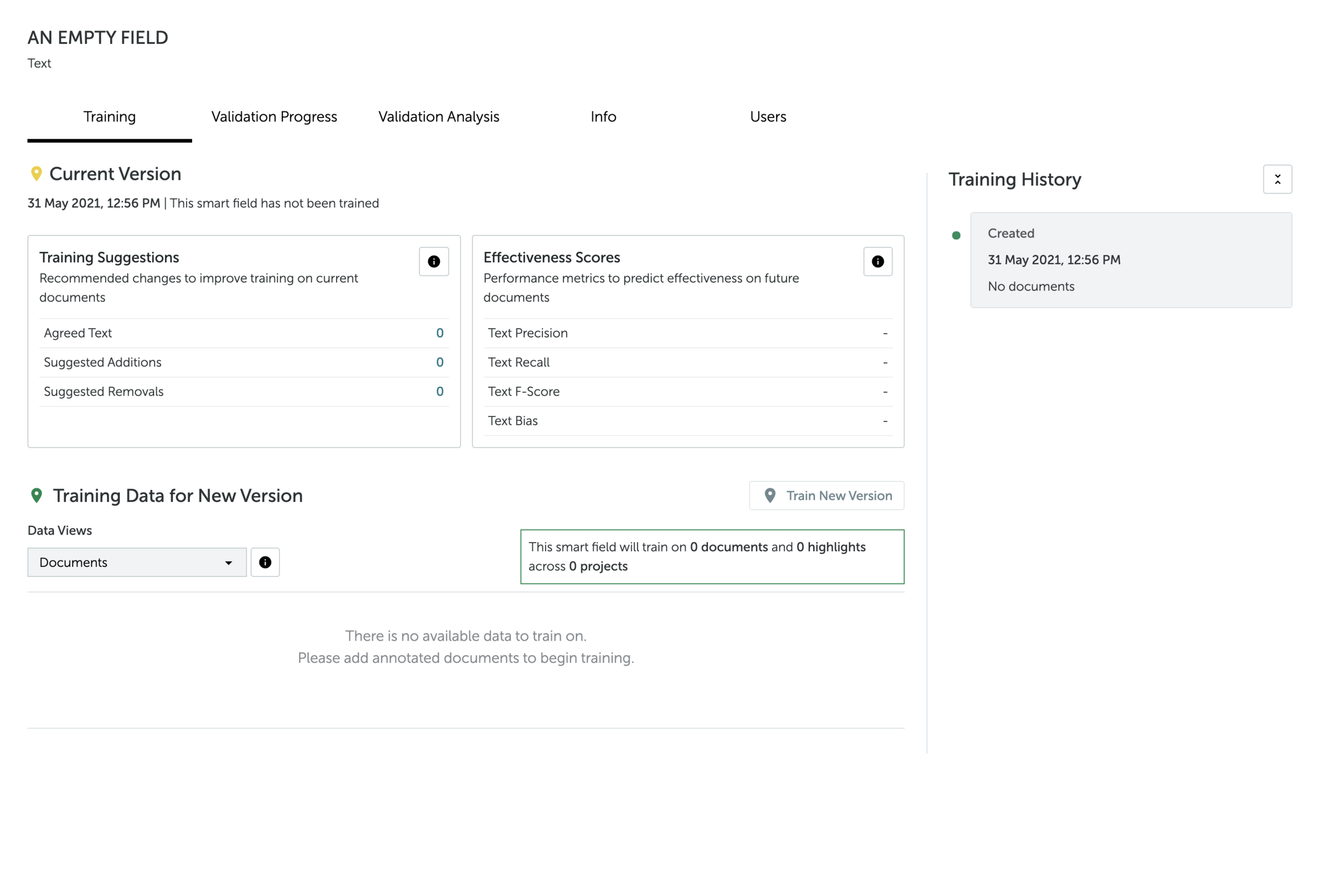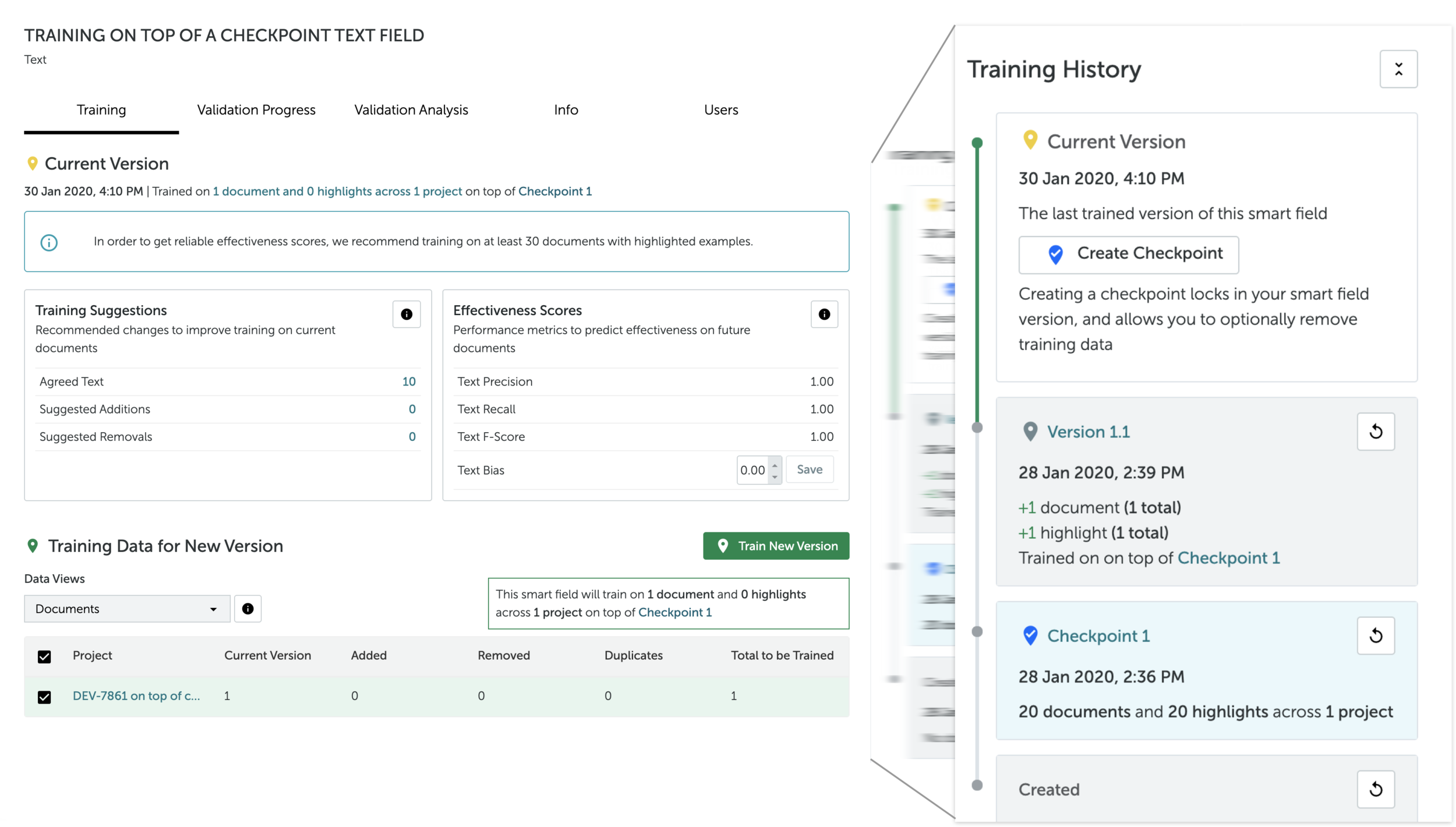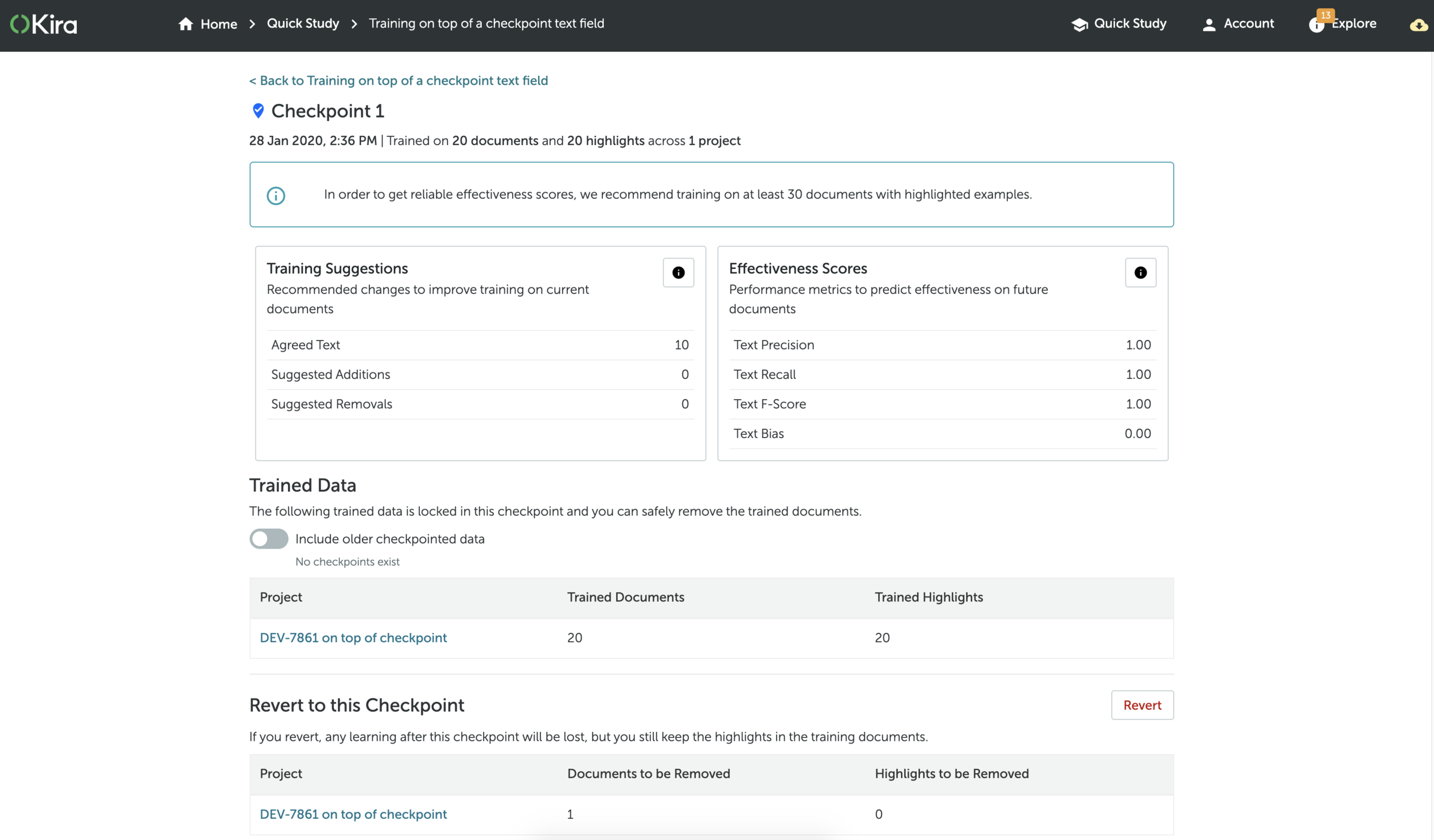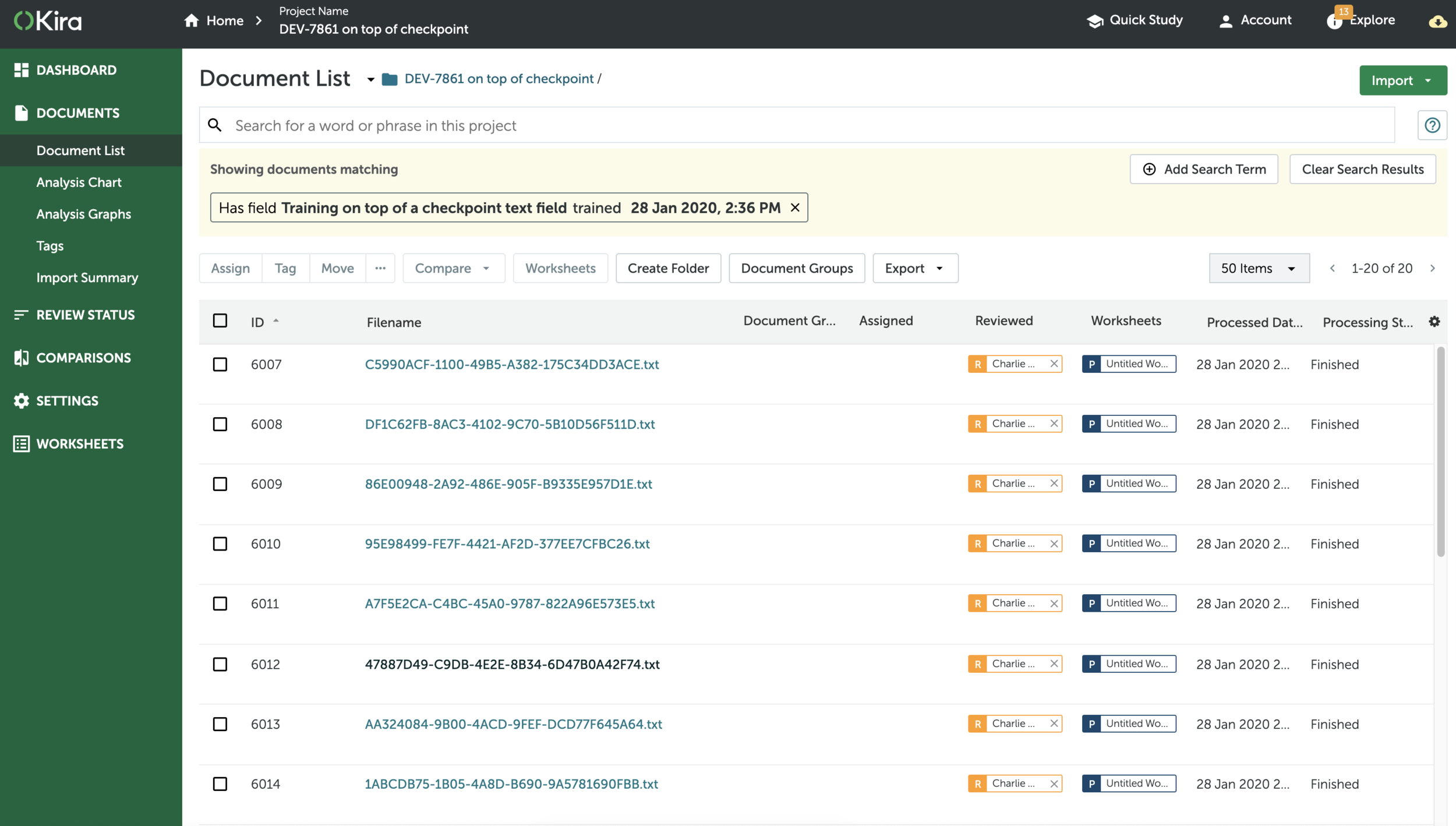

At Kira Systems, I worked with a cross-disciplinary pod of engineers, user researchers, and a product manager, and interfaced with the Machine Learning team to incorporate a new learning strategy into the platform’s no-code ML training system.
Role
Product Designer (Intermediate)
PROJECT TIMELINE
6 months
Background
Kira Systems helps lawyers and corporate users automatically identify clauses in their contracts. Users with standard contracts can opt for one of Kira’s 2000+ pre-built models trained by its in-house team of lawyers, or train their own custom models using Quick Study, the ML training interface.
Problem Framing
USER GOAL
Users train custom models to identify unique clauses. This requires them to upload a large training set of real-life documents.
Complications
Users often use live contracts containing sensitive information for training, which they are legally obligated to remove after a certain period.
While a larger training set produces a higher quality model, it also consumes a large amount of storage and increased billing (Kira charged per document per year of storage). This was a sore point for user retention.
UNDERLYING ISSUE
At this point, models did not retain learning from one training round to another, each time the user hit ‘train’, the model had to reprocess all the training data it had ever learned from. This resulted in slow training, and meant that users were losing learning from any documents removed for compliance reasons.
TECHNICAL STRATEGY
The Machine Learning team’s strategy was to pivot the AI towards an additive learning method. This new method allowed for shorter training times, and for users to ‘save’ the learning of a model at different points, so that it could retain learning even when users removed training data to meet compliance needs.
DESIGN CHALLENGE
How might redesign the AI training experience to replace ‘learning-from-scratch’ with additive learning, while reassuring users that documents could be safely deleted without affecting the model, in order to increase task success and preserve user retention?
Approach
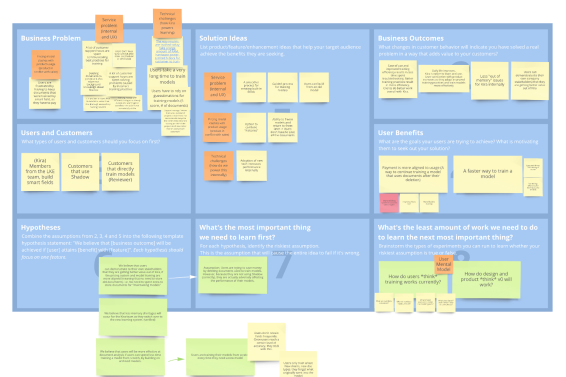
I worked with my pod’s Product Manager to understand how the Machine Learning team’s innovation could be applied to solve customer problems.
We started off with a Business Model Canvas (above) to consolidate information and generate multiple product goals for incremental releases. For the purposes of this case study, I will focus on the following goal:
Replacing the concept of ‘learning from scratch’ to the new concept of additive learning in the training experience
POINT OF CAUTION
Lawyers are a user group that highly err on the conservative side. For years, their onboarding and Support services instructed them to never remove data. We needed to provide careful reassurance that now, deleting documents without losing a model’s learning was 100% possible.
Scoping the Project
WHICH AREAS ON THE PLATFORM NEED TO CHANGE?
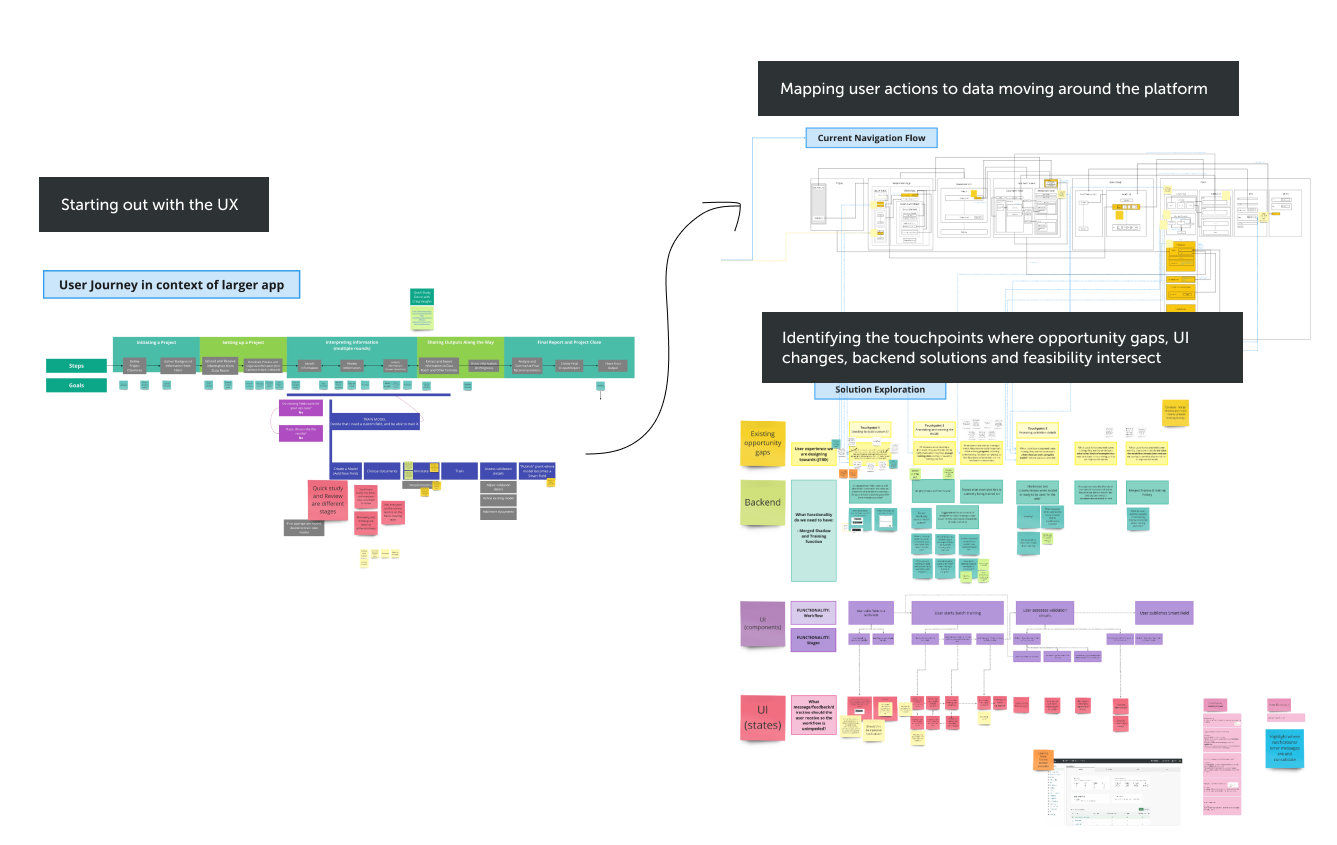
STEPS
I worked together with a Senior Product Manager and Engineering Lead to map the overall user journey of the platform.
I then mapped out the existing navigation flow for the training experience
I identified the touch points needing to be upgraded with the new training method. This was the result of a cross-disciplinary ‘Touchpoints’ workshop where I invited internal expert users, the Machine Learning team, senior designers, a product manager, and software engineers to get as many perspectives as possible on “how this could work”.
Ideation
TRANSLATING CONCEPTS INTO COMPONENTS
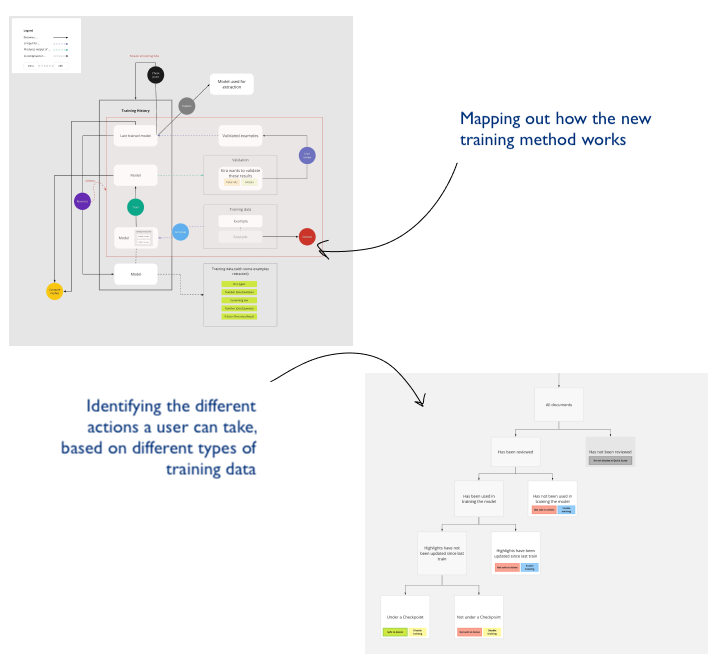
Before even low-fidelity sketches, I worked out a loose navigation flow, introducing net new concepts that arose from the Touchpoints workshop: ‘saving’ and ‘reverting’ models. I also mapped out new available actions that a user could take on training data.
GROUPING COMPONENTS and actions TO create A SYSTEM
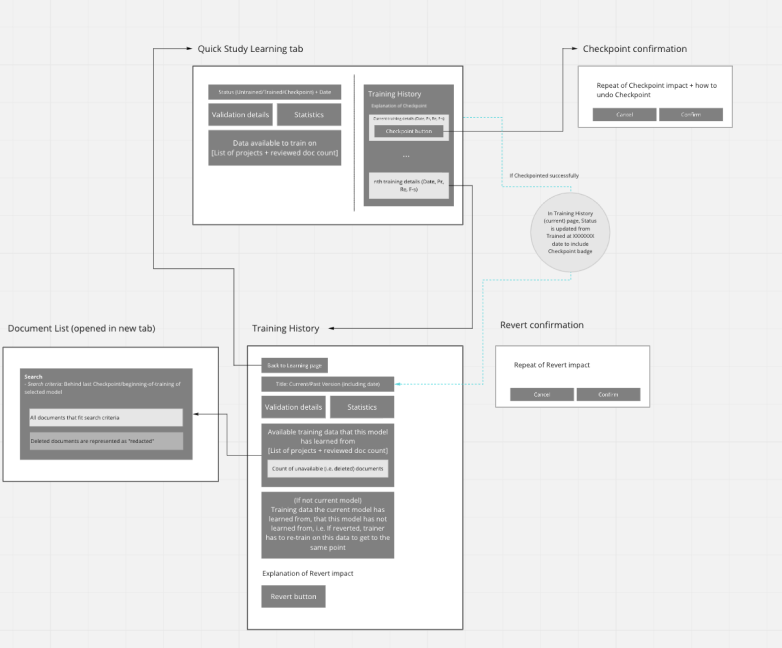
I used the Object-Oriented UX method to group available actions (‘verbs’) and concepts (‘nouns’) together into components, then ordered them by importance, to come up with a system of pages that became the new workflow.